
What is Apple Intelligence?
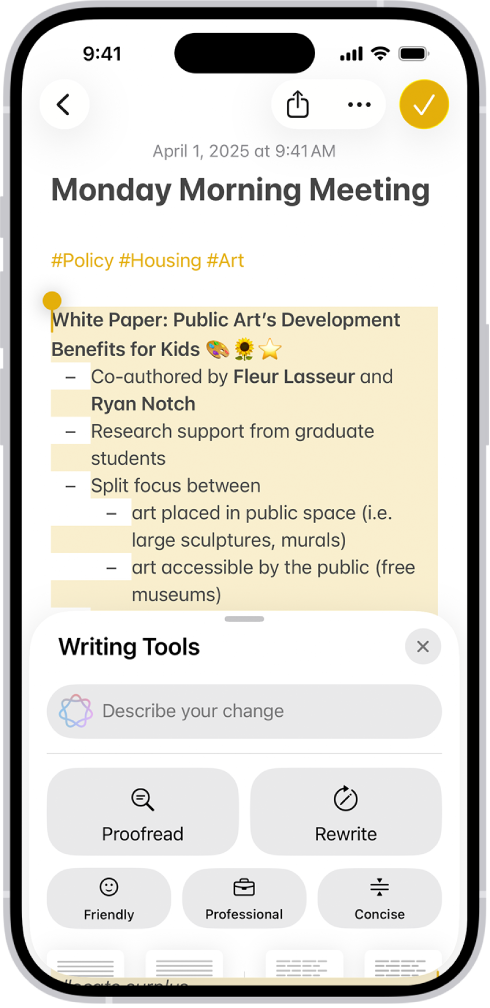
Apple Intelligence is Apple's collection of AI features across supported devices and applications. For an iPhone used at work, the useful starting points include assistance with text, summaries and finding information. Availability depends on the feature, device, software, language and region; Apple's requirements guide explains those conditions.
Think about one employee task at a time. A clearer draft, a quicker first pass through a long message or a useful summary can help, provided the person checks the original information before acting.
Existing features and the new Siri AI release
Apple's Apple Intelligence page identifies new features arriving from 14 September 2026. Its September Pro announcement says Siri AI starts rolling out in beta with iOS 27 on that date, initially in English.
This article was reviewed on 10 September, before that public release date. Existing Apple Intelligence functions and the newly announced Siri AI experience should therefore be evaluated separately. Do not assume that a feature shown in a launch demonstration is already enabled on every working phone.
Useful AI tasks to test on an iPhone
The following are suggested business trials, not claims of a measured productivity gain.
| Work task | A practical trial | What the employee must check |
|---|---|---|
| Improve a draft message | Use an approved, non-sensitive paragraph and compare the revision | Names, dates, promises and intended meaning |
| Review a long thread | Compare the summary with the full conversation | Exceptions, unresolved questions and action owners |
| Prepare clearer internal notes | Test text refinement on a routine process description | Whether the sequence and responsibilities remain correct |
| Find relevant information | Try a supported search or assistant feature with approved test material | Whether the answer actually matches the source |
Choose tasks that staff repeat often enough to judge. Record time spent reviewing and correcting the result as well as time spent generating it.
Run a small pilot before changing the fleet
Pick a few users from different roles and agree a short set of permitted tasks. Start with non-sensitive examples so the team can learn how results vary. Have each user keep a brief record of useful outputs, corrections and cases where the feature was unsuitable.
Give the pilot an owner. Someone should decide which workflows are ready for wider use, which need more training and which should remain manual. Our Apple Intelligence setup guide provides a repeatable first exercise.
A good pilot can be run on an existing compatible device. Buying the latest iPhone is not a prerequisite for investigating whether AI helps your team.
Make hardware and AI decisions separately
Check the compatible iPhone guide before ordering replacements. Some existing fleets already contain supported models. Device condition, applications, coverage and support still matter alongside AI.
If replacements are needed, compare iPhone 18 Pro, Pro Max and Duo around the job. A folding display or Pro camera should have its own reason to be selected; a general interest in AI does not establish that every employee needs the most expensive model.
Put company settings around company information
Agree what staff may enter, where results may be saved and which external integrations are permitted. Explain who reviews customer-facing output and how to report a mistake.
Read our Apple Intelligence privacy and management guide with the person responsible for devices and company data. Product privacy features and business usage rules are both parts of the decision.
Frequently asked questions
Is Apple Intelligence the same thing as Siri AI?
Apple Intelligence is the broader set of AI capabilities. Siri AI is the new assistant experience Apple announced as part of that wider system.
Do we need iPhone 18 to use AI at work?
Not necessarily. Check existing devices against Apple's compatibility requirements and test the specific features needed before deciding on replacements.
Will AI automatically save employees time?
That needs to be measured in your own workflow. Include review and correction time, and check whether the result is suitable for the task.
Can staff send AI-written messages straight to customers?
The person responsible for the message should review it first. A polished sentence can still change a price, date, commitment or other important fact.
Continue your business comparison
- How to Use Apple Intelligence on iPhone for Work
Set up Apple Intelligence on a work iPhone, try Writing Tools and troubleshoot missing features. Includes a practical first exercise and company setup checks.
- Which iPhones Support Apple Intelligence? UK Guide
Check Apple Intelligence iPhone compatibility, software and language requirements. Review an existing business fleet before buying iPhone 18 replacements.
- Apple Intelligence Privacy
Understand Apple Intelligence data handling, company settings and external integrations. Plan a practical AI pilot and management checks for work iPhones.
- iPhone 18 Business Deals UK
Compare iPhone 18 Pro, Pro Max and iPhone Duo for UK business. Explore network options, team contracts and launch dates, then request a tailored quote.
Put your business requirements into a quote
Tell us your preferred models, number of lines, coverage locations and renewal dates. We will check the available options and explain the costs.
Compare business options