What to know before you choose
- Test work under company policies, with the actual apps and accessories.
- Give each premium feature a task to prove: pen input, screen privacy, meeting notes or desk work.
- Record a repeatable setup and agree who handles support, recovery and leavers.
Start with the role, then the phone
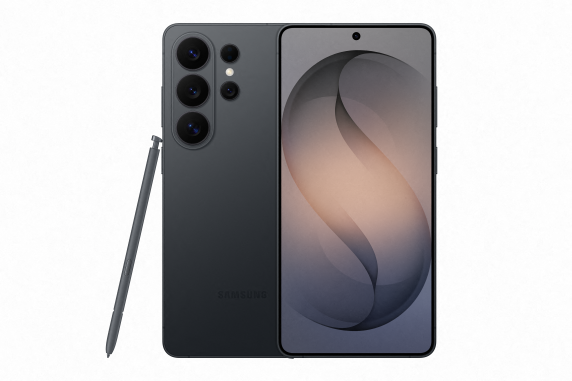
An Ultra rollout should begin with a short role description. Write down the documents, applications and working locations involved, then identify the part of the day the new device should improve.
For example, an employee may annotate plans during site visits or review sensitive email while travelling. Another may mainly take calls and use a scheduling app. Those roles need not receive the same handset. Use the S26 range comparison to keep a standard-model baseline.
Pilot four workflows
| Workflow | Trial task | What to record |
|---|---|---|
| S Pen input | Annotate and return a representative document | App compatibility, legibility and saving behaviour |
| Privacy Display | Read sample work content in a shared setting | Owner comfort, side visibility and notification behaviour |
| Galaxy AI | Produce reviewed actions from a sample meeting | Accuracy, account requirements and approved storage |
| DeX | Finish a normal report on a compatible display | App features, peripherals, charging and sign-in |
Keep the pilot proportionate. A feature that is never used by that role does not need to become a reason for purchasing the handset.
Configure Privacy Display deliberately
Samsung's display controls can help reduce side visibility, including activation for selected applications. Test with sample content before relying on them. The viewing environment affects the result, so the business should keep its ordinary screen-lock and information-handling practices.
Our Privacy Display guide explains the settings and limits to review with employees.
Check AI with the intended accounts
Use Galaxy AI with the accounts and processing settings approved for the rollout. Check transcript and summary output before sharing it. Some features need an account, network connection or supported language; on-device processing does not make every tool available offline.
If Call Screening is enabled, test the experience from a caller's phone. Agree whether automatic screening is appropriate for a line that receives new customer enquiries.
Make the desk setup repeatable
For DeX, record the display, cable or dock and input devices that worked. Check the actual business applications rather than assuming their mobile versions have every desktop function.
DeX for PC is no longer supported on One UI 7 or later. Specify a supported display connection or evaluate the separate Link to Windows companion features as appropriate.
Agree ownership and support
Confirm who administers the devices, maintains the inventory and helps users recover access. Document the process for a lost phone, a warranty fault and handing a device to a replacement employee.
For Enterprise Edition, verify the product code and UK support conditions. Any setup assistance, software licence and continuing administration should have an explicit scope. Our Enterprise Edition guide explains the purchasing questions.
Turn the pilot into a purchasing brief
List the approved handset and storage, required accessories, tested apps and management route. Include quantities, coverage locations and renewal dates. Use the S26 Ultra business comparison to request the commercial options once the technical brief is clear.
Frequently asked questions
How many devices should we pilot?
Use enough to cover the different roles and working environments being considered. A small representative group is more useful than testing only one unrestricted demonstration phone.
Should we test after applying device policies?
Yes. Accounts, applications, network access and management policies can change how a feature behaves. Test the configuration employees will receive.
What should the final rollout document contain?
Record the model and edition, setup steps, accounts, apps, accessories, agreed settings, support owner and recovery process.
Does every employee need an Ultra?
No. Use the pilot to identify the roles that benefit from its features and compare standard models for other users.
Samsung sources and further reading
Product and support details checked against the sources below on 8 September 2026. Confirm the exact UK model and terms with your quote.
Put the right Samsung devices to work
Tell us the roles, number of handsets, work locations and renewal dates. Request a comparison of device, network and contract options for your business.
Get a free Samsung quoteMinimum 24-month business contracts. Availability, Enterprise Edition benefits and any software or service charges are confirmed with your quote.