What to know before you choose
- Include the S26 FE when staff regularly read documents or photograph work on their phone.
- Seven years of security updates run from global launch, not your purchase date.
- Compare the exact UK handset, Enterprise Edition package and full contract cost in your quote.
Where the S26 FE fits in a business shortlist
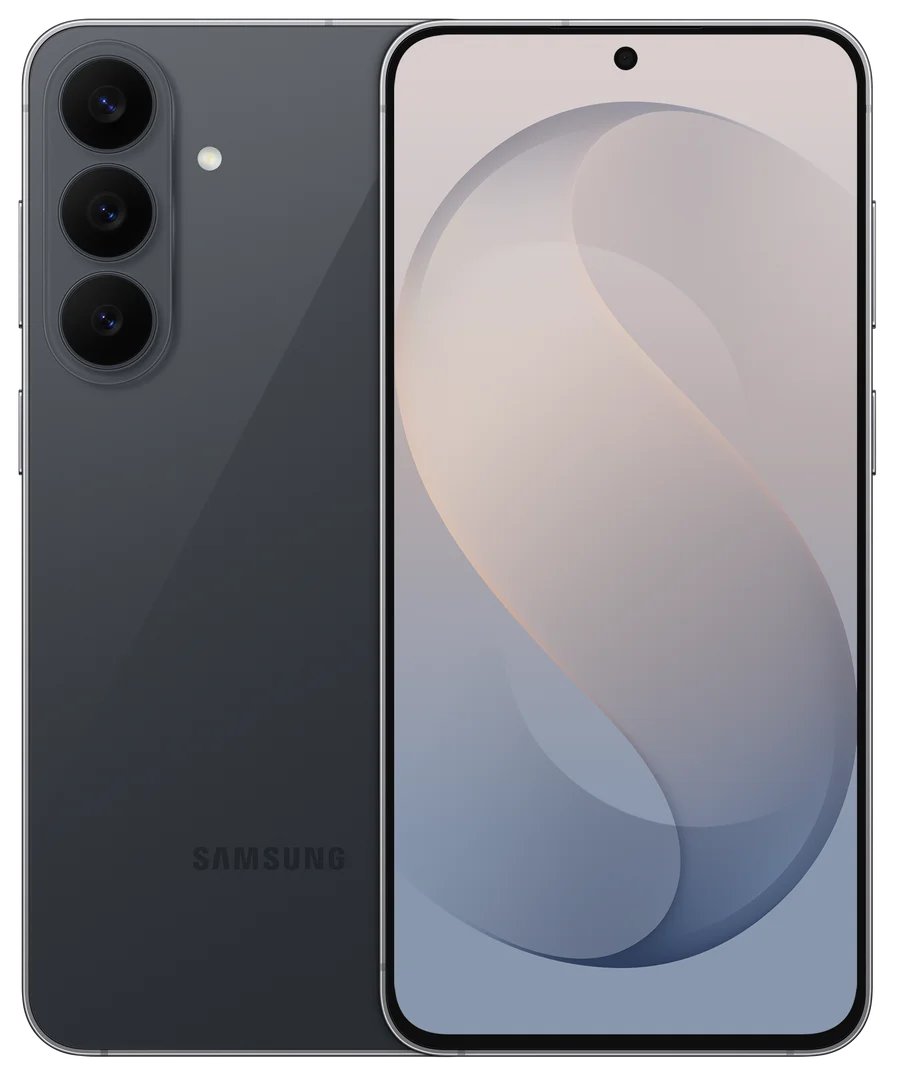
Galaxy S26 FE gives a team another option between the A series and Samsung's premium S26 models. Consider it for people who spend time reading documents, photographing work and moving between appointments. The useful question is which of its features your staff will use often enough to justify the price in your quote.
Start with three candidates: Galaxy A57 for routine applications, S26 FE for a larger-screen S-series option, and Galaxy S26 for a smaller handset. Our A57 vs S26 FE vs S26 comparison puts their specifications and 256GB reference prices side by side, with a calculator for your team.
Confirmed specifications
| Detail | Galaxy S26 FE |
|---|---|
| Display | 6.7-inch FHD+ Dynamic AMOLED 2X, up to 120Hz |
| Weight | 193g before a case |
| Processor and memory | Exynos 2500; 8GB RAM |
| Storage options | 128GB, 256GB and 512GB; exact UK variant subject to availability |
| Main and zoom cameras | 50MP main camera with optical image stabilisation; dedicated 3x optical zoom |
| Battery and charging | 4,900mAh typical capacity; up to 45W wired and 15W wireless charging |
| Software at launch | Android 17 with One UI 9 |
| Update commitment | Seven generations of OS upgrades and seven years of security updates from global launch |
These are manufacturer specifications, not our own performance measurements. A compatible 45W adapter is sold separately. Battery capacity and laboratory charging figures do not establish how long a phone will last with your team's applications, coverage and screen use.
Turn a paper document into a usable work record
The built-in Document Scan feature is a useful place to start. Try a delivery note or an approved sample receipt, then check the saved result before introducing it to a work process.
- Place the document on a flat, well-lit surface and capture every required page.
- Check edges, small print, dates, totals and signatures against the original.
- Give the file a useful name and save it to the company's approved document location.
- Confirm a colleague can find and read it before disposing of any original under your normal retention policy.
Cleaning up a scan does not make its contents accurate or approve an expense. Keep the original where your process requires it. See our Galaxy AI work guide for more practical exercises.
Use photography and daily briefings for a specific job
For someone visiting customers or inspecting equipment, test whether the dedicated zoom camera captures readable detail from the distance they actually work at. Keep the unedited photographs used for job records. Photo Assist can help with creative material, but AI edits should not alter evidence of a fault, installation or delivery.
Now Brief can provide personalised information during the day. Start with a simple briefing and check the supported apps, account requirements and permitted company data. It complements the team's calendar and task system; it is not the authoritative record of an appointment or deadline. Review the result before acting on it.
Plan support from launch, not from the purchase date
Samsung's seven-year security commitment runs from the global launch. Buying the phone later does not restart that clock. Record the remaining supported period when comparing a replacement cycle, and check the update cadence and any business application dependencies with your IT team.
Long software support can make a longer ownership period worth evaluating, but a phone may still need a battery service, repair or replacement. Include a case, suitable charging, a repair route and a spare-device plan in the cost calculation.
Enterprise Edition: specify the exact package
Samsung's September UK partner newsletter highlights S26 FE Enterprise Edition and a two-year product lifecycle. Procurement lifecycle, software support and warranty are separate commitments. Ask for the UK Enterprise Edition product code, applicable lifecycle dates, warranty and Knox licence terms in the written proposal.
Do not apply an overseas bundle automatically to a UK order. In particular, Samsung's S26 FE Knox setup document lists eligible US product codes. It does not establish the entitlement for every UK handset. Our Enterprise Edition guide explains what to put alongside your quote.
Built-in Knox protection also differs from a configured device-management service. Confirm who enrols the phones, applies policies, supports staff and handles leavers. A Knox buying brief helps separate those responsibilities from the handset itself.
Compare the complete cost before ordering
Samsung's UK product pages listed the Blueberry 128GB model at £699 and 256GB at £799 when checked on 16 September 2026, including VAT. These are manufacturer handset price references, not CTN airtime offers or guaranteed supplier stock. Recheck the exact storage, edition and current price with your proposal.
Request the same data allowance, proposed term and service scope for each shortlisted phone. Include upfront charges, monthly payments, contractual annual changes, accessories and required software. Business mobile contracts through Compare The Networks have a minimum 24-month term.
For the clearest brief, send us the number of phones, roles, work postcodes, renewal dates and preferred storage. Mention Enterprise Edition or existing device-management software where required. You can request a Samsung business comparison with those requirements.
Frequently asked questions
Is Galaxy S26 FE suitable for a business fleet?
It is worth assessing for employees who use documents, work apps and photography. Compare a sample configured by your IT team with A57 and S26, then check coverage, support and the complete quoted cost.
How long will Galaxy S26 FE receive updates?
Samsung commits to seven generations of OS upgrades and seven years of security updates from global launch. Timing can vary by model, network and market; the period does not restart when you buy it.
Is every S26 FE an Enterprise Edition phone?
No. Specify the UK Enterprise Edition product code and confirm its warranty, lifecycle and software entitlements. A Galaxy model name alone does not identify the package.
Are the prices shown monthly business deals?
No. The £699 and £799 figures are Samsung UK handset references for 128GB and 256GB, including VAT, checked on 16 September 2026. Request a quote for current handset, network, availability and contract terms.
Does every Galaxy AI feature work offline?
No. Account, internet, language and app requirements differ by feature. Test the exact workflow with your company's permitted settings before rollout.
Samsung sources and further reading
Product and support details checked against the sources below on 16 September 2026. Confirm the exact UK model and terms with your quote.
Put the right Samsung devices to work
Tell us the roles, number of handsets, work locations and renewal dates. Request a comparison of device, network and contract options for your business.
Get a free Samsung quoteMinimum 24-month business contracts. Availability, Enterprise Edition benefits and any software or service charges are confirmed with your quote.