What to know before you choose
- Choose a phone or tablet around the job: calls and photos, or larger forms and drawings.
- Plan spare batteries, charging, mounts and repairs alongside the handset.
- Rugged ratings describe test conditions. They are not an unlimited damage guarantee.
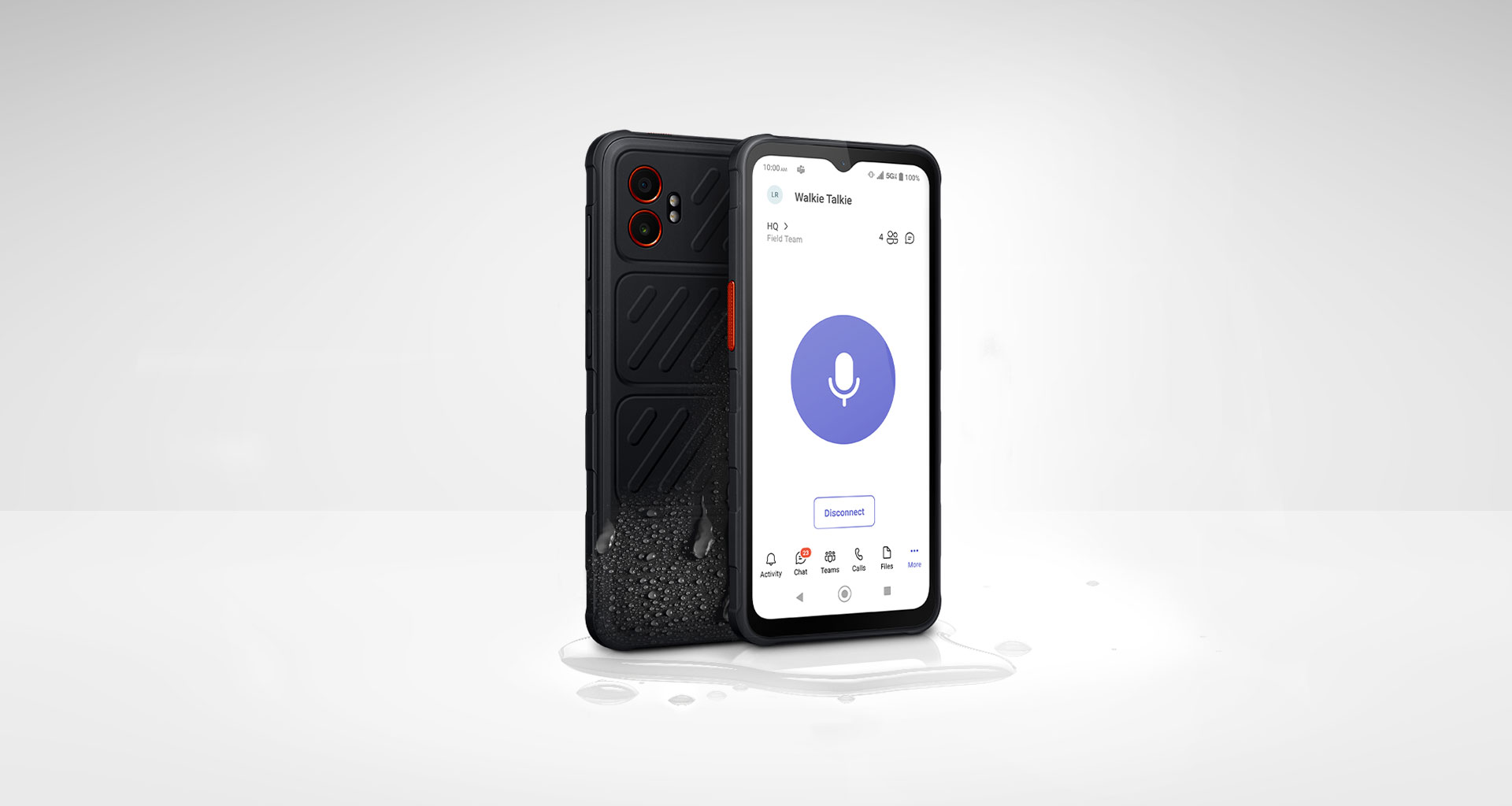
Phone or tablet for the frontline?
Galaxy XCover7 Pro is a rugged phone option for staff who need calls, messaging, photographs and work applications while moving between tasks. Galaxy Tab Active5 Pro offers a larger tablet workspace for forms, plans and applications that benefit from more screen area.
Samsung's UK product announcement confirms user-replaceable battery designs and business features across these models. Check the exact device and accessories being quoted, especially where tablets are available in different connectivity variants.
| Requirement | Galaxy XCover7 Pro | Galaxy Tab Active5 Pro |
|---|---|---|
| Working format | Phone for mobile communication and work apps | Tablet for larger forms, drawings and records |
| Typical battery capacity | 4,350mAh, user replaceable | 10,100mAh battery set, with Dual Hot-Swap support |
| Input and handling | Test the XCover key, gloves and one-handed work | Test the S Pen, carrying method and vehicle or desk mount |
| Deployment checks | Headset, app workflow, charging and network coverage | App layout, connectivity variant, power and accessory compatibility |
Capacity does not predict a full shift's runtime. Test the actual workload, including navigation, camera use, scanning and time away from strong mobile coverage. Samsung's hot-swap and battery features have operating conditions; use its instructions and compatible batteries.
Check the environment against the rating
Samsung lists IP68 and MIL-STD-810H testing for these devices. Read the test conditions and care instructions before matching a phone to the worksite. Water resistance can change with wear or damage. A rugged rating does not mean every liquid, impact or industrial setting is covered.
Check dust, temperature, cleaning products, protective equipment and safe use requirements for the actual role. Where a site requires specialist certification, establish that separately before choosing a consumer or business mobile device.
Build the accessory kit before ordering
Decide where each device will be charged, carried and stored. Check docking and mount compatibility, replacement battery supply, headset use and the accessories supplied in the box. Add these to the total cost rather than leaving the employee to solve them after delivery.
For a warehouse, test the application with real labels and lighting using sample data. For engineers, try the job sheet, photographs and upload process at a typical work location. For shared tablets, practise shift handover and signing out.
Enterprise Edition, updates and management
Ask whether the quoted device is Enterprise Edition and what its current UK support package includes. Record the published support end date for that specific product code. Do not transfer a support promise from one Galaxy generation to another.
Use a Knox deployment brief to agree policies, applications, update handling and responsibility for lost or damaged equipment. Software licences and ongoing administration should be explicit in the proposal.
What to include in your fleet brief
Tell us the role, shift length, device count, working locations and any required business applications. Include preferred accessories, management platform and repair arrangements. Request coverage checks for the places staff work, not only the registered office postcode.
For office-based roles, compare the standard Samsung range too. A mixed fleet may make more sense than giving every employee the same rugged handset.
Frequently asked questions
Can the XCover7 Pro battery be replaced?
Samsung specifies a user-replaceable battery. Use compatible batteries and follow the manufacturer's replacement and care instructions.
Is a rugged Samsung phone indestructible?
No. Rugged and water-resistance ratings refer to stated tests and conditions. Read the care guidance, warranty exclusions and any separate damage cover.
Does a rugged device automatically include management software?
No. Check the device edition, the applicable Knox plan and any licence conditions or setup services in the quote.
Should everyone in the business have a rugged phone?
Choose by role. Field staff may benefit from rugged features while office staff may be better served by a standard handset. Test both against the work.
Samsung sources and further reading
Product and support details checked against the sources below on 8 September 2026. Confirm the exact UK model and terms with your quote.
Put the right Samsung devices to work
Tell us the roles, number of handsets, work locations and renewal dates. Request a comparison of device, network and contract options for your business.
Get a free Samsung quoteMinimum 24-month business contracts. Availability, Enterprise Edition benefits and any software or service charges are confirmed with your quote.